How oversized images delay the main content
A picture displayed in a narrow column does not always need a multi-megabyte source. Mobile visitors pay for transfer, decoding and memory use, not just storage on the server. This tutorial generates three candidates and lets the browser choose among them. Evaluate visible detail and aspect ratio alongside byte size. A smaller file is not automatically an improvement when it makes important content unreadable or introduces a distracting crop.
The source set describes each file with its actual pixel width. The sizes attribute describes the space occupied by the image in the page layout. If that description disagrees with the real column, the browser may choose an unnecessarily large candidate. Display density also affects selection, so a phone is not guaranteed to request the smallest file. The declared width must describe the actual asset rather than a convenient number in its filename.
Generate candidates and describe the real layout
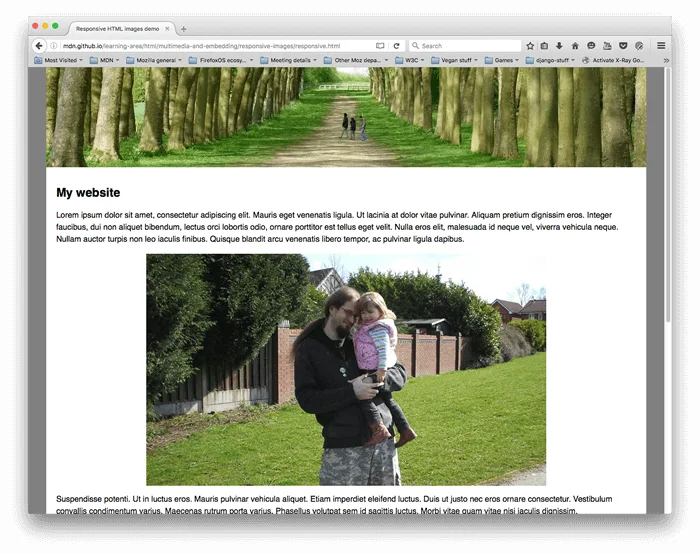
The main image is visible immediately, so the example loads it eagerly with high fetch priority. Reserve that priority for genuinely important media instead of assigning it to every picture. Images below the initial viewport can usually load lazily. Explicit intrinsic width and height reserve the correct aspect ratio before decoding finishes, helping prevent the surrounding text from jumping when the image finally appears on a slow connection.
Install Pillow in a project virtual environment and run python generate_images.py. The command creates three WebP files in the images directory. Run python audit_images.py to verify file widths, aspect ratios and the example markup. Start a local server with python -m http.server 8086 and open the demonstration page. Keep this reproducible fixture separate from production artwork; generating it should not overwrite photographs or established media filenames in an existing site.
Disable the browser cache and reload at phone, tablet and desktop widths. Record the selected source, transferred bytes, request start and main-content timing. Resizing an already loaded page may retain a larger source, so use a fresh navigation for each measurement. The synthetic image tests the candidate contract and layout description. It does not establish a universal percentage improvement for real photographs, different networks or every type of page content.
Complete files to save
Save all four files together. The article explains execution and verification; no code is replaced with ellipses.
1. Generate three demo candidates
File: generate_images.py. Save every line under this filename.
"""Create a reproducible demo image; Pillow is required."""
from pathlib import Path
from PIL import Image, ImageDraw


def generate(output):
    output = Path(output)
    output.mkdir(parents=True, exist_ok=True)
    original = Image.new('RGB', (1280, 720), '#22292c')
    draw = ImageDraw.Draw(original)
    for x in range(0, 1280, 80):
        draw.rectangle((x, 120, x + 48, 600), fill='#b6cfbe')
    for width in (320, 640, 1280):
        image = original.resize((width, width * 9 // 16), Image.Resampling.LANCZOS)
        image.save(output / f'hero-{width}.webp', quality=82, method=6)


if __name__ == '__main__':
    generate(Path(__file__).resolve().parent / 'images')
This file belongs to the complete example above; execution order, prerequisites and limits are explained in the article.
2. Candidates, sizes and main-image priority
File: index.html. Save every line under this filename.
<!doctype html>
<html lang="fa" dir="rtl">
<head>
<meta charset="utf-8">
<meta name="viewport" content="width=device-width,initial-scale=1">
<title>آزمایش تصویر واکنشگرا</title>
<link rel="stylesheet" href="demo.css">
</head>
<body>
<main>
<h1>تصویر متناسب با عرض صفحه</h1>
<img src="images/hero-640.webp"
srcset="images/hero-320.webp 320w, images/hero-640.webp 640w, images/hero-1280.webp 1280w"
sizes="(max-width: 960px) calc(100vw - 32px), 928px"
width="1280" height="720" fetchpriority="high" loading="eager"
decoding="async" alt="ستونهای سبز روی زمینهٔ تیره برای آزمایش کیفیت تصویر">
<p>در ابزار شبکه، حافظهٔ موقت را غیرفعال و صفحه را دوباره بارگذاری کنید.</p>
</main>
</body>
</html>This file belongs to the complete example above; execution order, prerequisites and limits are explained in the article.
3. Match CSS layout to declared sizes
File: demo.css. Save every line under this filename.
* { box-sizing: border-box; }
body { margin: 0; background: #eae9e3; color: #15342b; font-family: Tahoma, sans-serif; }
main { width: min(100%, 960px); margin-inline: auto; padding: 16px; }
img { display: block; width: 100%; height: auto; }
h1 { font-size: clamp(20px, 4vw, 30px); }
p { line-height: 1.9; }
This file belongs to the complete example above; execution order, prerequisites and limits are explained in the article.
4. Audit asset dimensions and markup
File: audit_images.py. Save every line under this filename.
from html.parser import HTMLParser
from pathlib import Path
from PIL import Image


class Images(HTMLParser):
    def __init__(self):
        super().__init__()
        self.items = []

    def handle_starttag(self, tag, attrs):
        if tag == 'img':
            self.items.append(dict(attrs))


def audit(root):
    parser = Images()
    parser.feed((root / 'index.html').read_text(encoding='utf-8'))
    assert len(parser.items) == 1
    image = parser.items[0]
    assert image['loading'] == 'eager' and image['fetchpriority'] == 'high'
    assert image['width'] == '1280' and image['height'] == '720'
    assert image['sizes'] == '(max-width: 960px) calc(100vw - 32px), 928px'
    for entry in image['srcset'].split(','):
        filename, descriptor = entry.strip().split()
        with Image.open(root / filename) as variant:
            assert variant.width == int(descriptor[:-1])
            assert variant.width * 9 == variant.height * 16
    print('PASS: dimensions, candidates and eager main image; measure LCP in a browser.')


if __name__ == '__main__':
    audit(Path(__file__).resolve().parent)
This file belongs to the complete example above; execution order, prerequisites and limits are explained in the article.
Inspect browser selection and measure actual results
For a production change, export real media at useful widths while retaining important visual detail. Change the crop only when the subject remains understandable. Compare laboratory measurements with actual visitor experience, including slow connections and dense displays. If server response or text rendering dominates the delay, re-encoding pictures alone cannot solve it. A successful result combines acceptable image quality, correct requests, stable layout and a measured improvement under stated conditions.
Implementation checklist
- Match descriptors to physical asset widths.
- Keep the initial main image eager.
- Reload each viewport with cache disabled.
- Measure quality and layout stability alongside bytes.
References
Editorial guidance: Liyan Knowledge.